Scheduling with ease through e-KHOOL Suite's Calendar Management system
Stay productive and organized through e-KHOOL Suite's calendar management, reducing conflicts and promoting collaboration in schools, companies through events and meetings.

Why e-KHOOL Suite's Calendar Management System?
Hassle-free event scheduling for mutual collaboration, and smart time management capabilities maximizes productivity for educational institutions and organizations.
Key Benefits of e-KHOOL Suite’s Calendar Management System

Efficient Meeting Scheduling
Calendar management helps invite and manage the meeting participants in an efficient way.
Time Zone Management
e-KHOOL Suite’s calendar management solution tracks the time zones checks the availability of colleagues and paves the way for a smooth meeting.
Secure Meeting Management
Users can have secured data hence we offer the safest meetings for every participant.
Automated Notifications Management
Built-in reminders and event alerts minimize missed meetings and enhance punctuality, improving overall time management and coordination.
Challenges of e-KHOOL Suite’s Calendar Management System

Invitation Tracking & RSVP Management
To avoid conflict in communication, e-KHOOL Suite will send the meeting invitation, track RSVPs, and help receive automatic updates on the changes.

Accurate Time Zone Synchronization
To maintain accurate timezone conversions, we utilize calendar tools to address these issues.

Privacy & Access Control Protection
The user can rest assured of privacy since we provide access control features.

Cross-Platform Accessibility
Allows users to access the schedule from various locations and the platform by adopting digital tools to implement a culture of collaboration and time management.
Features of e-KHOOL Suite’s Calendar Management Solution
e-KHOOL Suite’s Calendar Management Solution streamlines scheduling, collaboration, and time coordination through intelligent automation and user-friendly design.
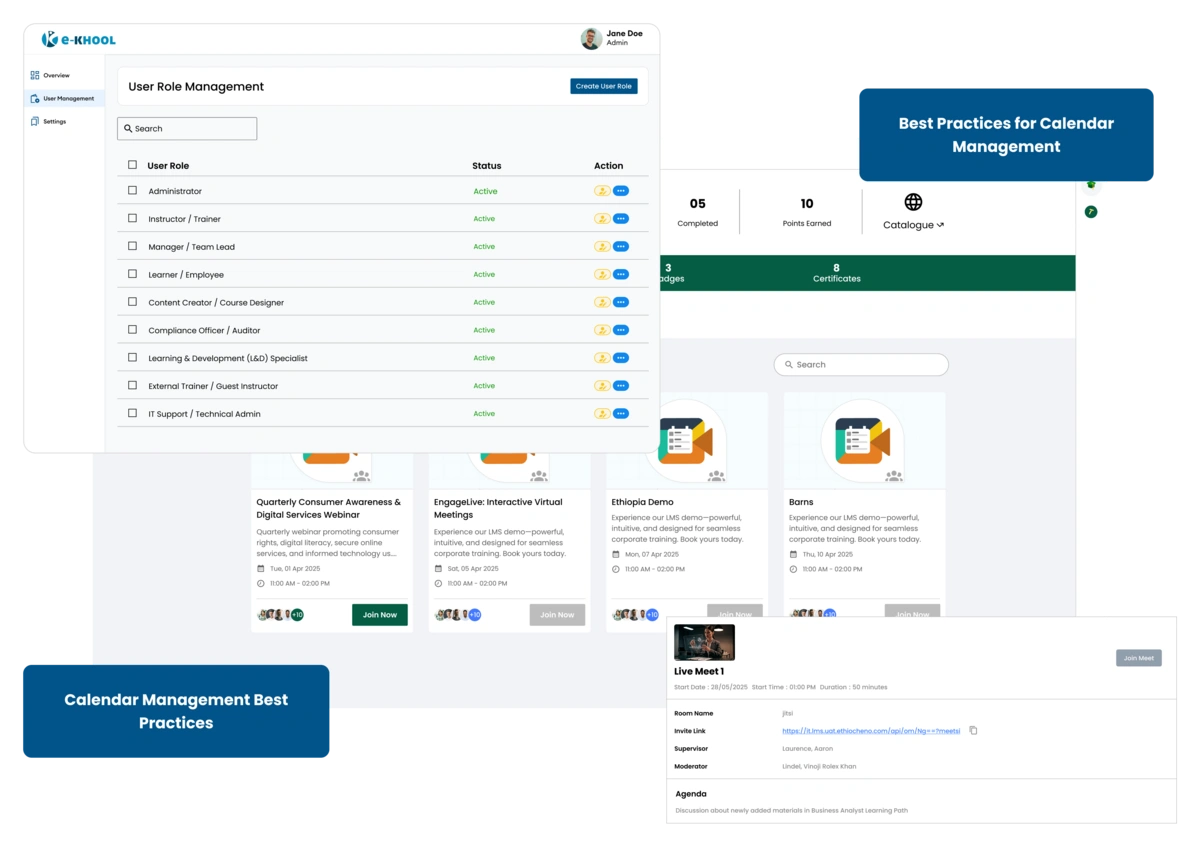
Best Practices for Calendar Management with e-KHOOL Suite
By prioritizing tasks, improving meetings, and managing time zones effectively, organizations can foster structured collaboration and smarter time utilization.
Prioritize Tasks
High priority tasks are indicated in the calendar management system. Users can do categorization, colors, and deadlines to keep meetings, assignments, and events organized.
Meeting Efficiency
Reduce frequent meetings by following times, and roles for people attending the meetings. Use company calendars and planning insights to know the optimal slot times, curbing conflicts.
Handling Time Zones
Time zones are handled for schedules of learners from different regions. This helps implement coordination of virtual classes, global meetings, and remote collaborations.
Maximize Scheduling Tools
Automated scheduling, real-time reminders, and joint event planning reduces manual effort. Intelligent scheduling tools avoid clashes, send timely reminders, and increase overall efficiency.
Automated Reminders & Follow-Ups
Scheduled alerts keep participants informed and accountable, ensuring timely task completion and better event participation.
Role-Based Access & Scheduling Permissions
Assign calendar management rights based on roles to ensure secure, organized, and efficient coordination across departments.