e-KHOOL Suite's Cloud Drive: Store, Share, and Collaborate
Sharing file resources now becomes more easy and secure through e-KHOOL Suite with minimal disruptions for education, business, or group projects in many ways.
Why Choose e-KHOOL Suite's Cloud Storage Solution?
With smart search and cataloged organization, documents are easily saved, accessed, and modified across any device anytime, reducing stress and increasing reachability of files.
Key Benefits of e-KHOOL Suite's Cloud Drive
File Management
Editing, sharing, and storing learning materials can be made accessible by the e-KHOOL Suite's cloud drive.
Multi-Device Management
The organization or any business owner can utilize this platform to provide a centralized system for all the devices.
Flexible Document Management
By making use of our cloud drive, the user can share documents, sheets, and presentations.
Secure Data Backup & Access Control
Advanced access permissions, encrypted storage, and automated backups ensure sensitive files remain protected while maintaining structured user-level control.
Challenges that are addressed by the e-KHOOL Suite's Cloud Drive

Real-Time Collaboration
Real-time collaboration on file resources while maintaining version control is tackled by the e-KHOOL Suite by aiding in creating, editing, and sharing the learning materials.

Multi-User Editing Efficiency
Multiple users can access the same document and can edit them in real time.

Notifications & Communication Tools
Notification system and communication tools are encompassed to improve the collaboration and communication.

Data Recovery Mechanisms
Automated file history tracking and restore options safeguard against accidental deletions or overwrite.
Cloud Drive Features for Secure & Collaborative Learning
e-KHOOL Suite’s Cloud Drive is designed to provide secure storage, real-time collaboration, flexible access, and intelligent file management.
Best Practices for Using e-KHOOL Suite's Cloud Drive
By leveraging multi-device compatibility, centralized e-learning storage, and 24x7 availability, institutions can optimize digital workflows and enhance learning continuity.
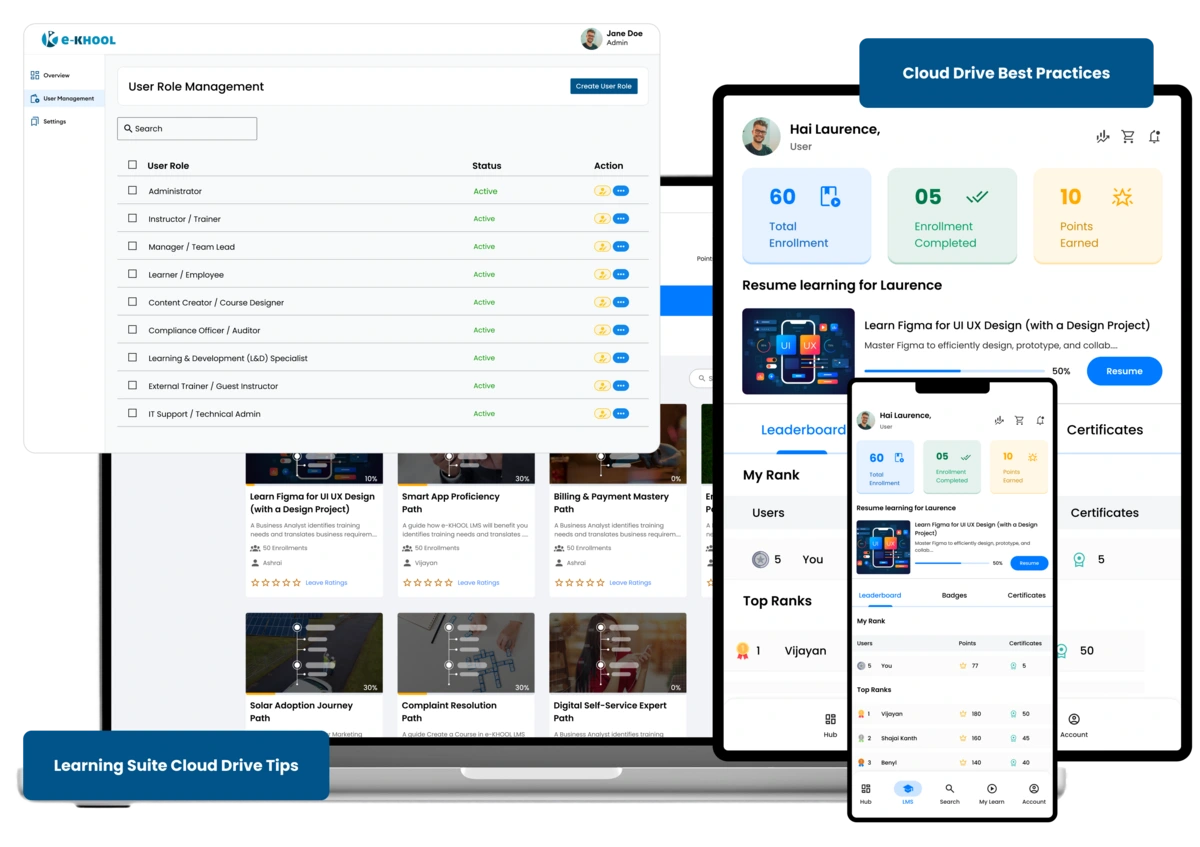
Cloud-Based Multi-Device Solution
The cloud drive that are offered by e-KHOOL Suite allow access to desktops, tablets, and smartphones. Also the users have the access to edit, and manage files without any restrictions.
Cloud Storage for E-Learning Resources
Utilize cloud storage to access class notes, presentations, assignments. This allows for easy access for instructors and learners thereby improving a better digital learning process.
Data Access 24x7
Anytime access to key documents so that users can be productive at any hour. With real-time syncing, documents stay updated across devices.
Structured Folder Hierarchy & Naming Conventions
Organize files using standardized folder structures and clear naming conventions. This improves document traceability, reduces duplication, and enhances team-wide efficiency.
Role-Based Access & Permission Management
Implement user-specific access controls to protect sensitive files. Assign viewing, editing, or administrative rights based on roles to maintain data integrity and accountability.
Regular Backup & Data Recovery Planning
e-KHOOL safeguards against accidental loss, system errors, or security threats while maintaining operational continuity.