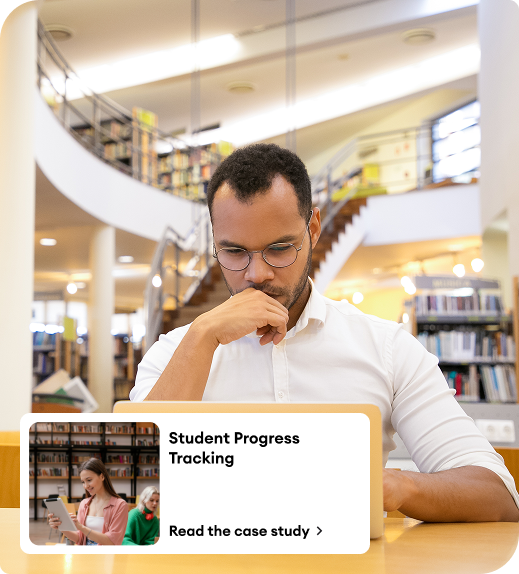
Why Opt for e-KHOOL Suite's Interactive Panel Device?

The device allows for multiple digital tools, making it possible for educators to prepare interesting lessons through multimedia and immediate student interaction.

Benefits of Using ekhoolSUITE’s Interactive Panel Device

Learning management system with local support
LMS with local support in Argentina

Digital Learning Management

The interactive panel device provides teachers with centralized access to e-learning resources, ensuring structured and efficient content delivery in classrooms.

EdTech-Enabled Teaching Management

Modern educational technology enhances classroom experiences, making lessons more engaging, visual, and impactful for students.

Teacher Skill Management

User-friendly interactive features empower teachers to improve instructional methods and strengthen their teaching effectiveness.

Connectivity & Progress Tracking Management

Teachers can connect student mobile devices to the interactive panel, enabling real-time monitoring of participation and academic progress.

Challenges Addressed by e-KHOOL Suite’s Interactive Panel Device
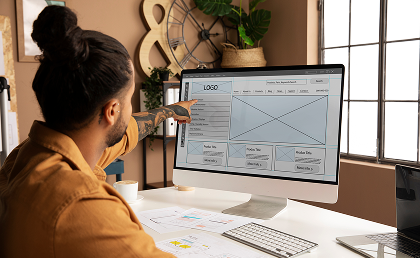
Learning management system with local support
LMS with local support in Argentina

Consistent Content Delivery Across Classes

Ensures uniform teaching standards and consistent content presentation across different subjects and grade levels.

Learning management system with local support
LMS with local support in Argentina

Access to Advanced Classroom Technologies

Brings innovative interactive panel solutions into classrooms, bridging the gap between traditional and digital teaching methods.

Learning management system with local support
LMS with local support in Argentina

Reducing Technology Adoption Resistance

Supports educators with minimal technical exposure, easing the transition toward advanced digital tools.

Learning management system with local support
LMS with local support in Argentina

Professional Development & Digital Literacy Support

Provides training and development programs to enhance teachers’ digital competencies and promote confident technology integration.

Essential Features of e-KHOOL Suite’s Interactive Panel Device

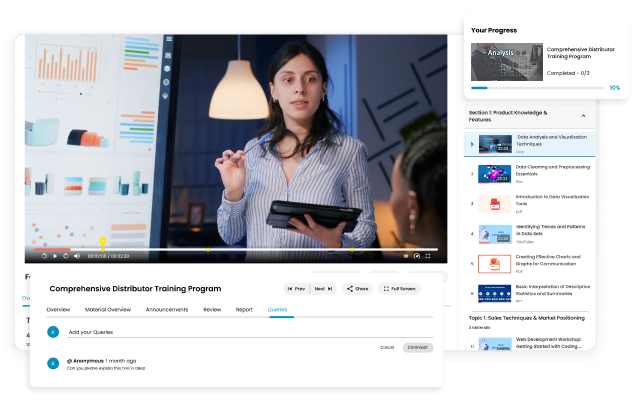
Interactive Panel Device with wide screen and compatibility with e-KHOOL Suite, allows the educators to teach learners with complete interactive features.
Learning management system with local support
LMS with local support in Argentina
e-KHOOL Suite’s Interactive Panel Specification
Display Size & Ratio
75 Inches (16:9)
Screen Resolution
1649.0 x 927.1 mm [HxV]
Physical Size
3840(H)x2160(v)
Refresh Rate
4K-60HZ
Standby power
15,0000 Hours
Panel Display Type
LED LCD display
Writing Style
Finger, Touchpen or other Non-transparent object with diameter of not less than 5mm (multiple points 8mm)
Cursar Speed
120 points per second
Touch Resolution
32767*32767
Touched
Unlimited
Computer Response
System automatic recognition, Less than Equal to 15 ms
Configuration
Mid-Range / Core i5 configuration
Chipset
Intel
CPU
Mid-Range / Core i5 Processor
Memory
Upgraded version 8GB DDR3
Hard Disk
1 TB Solid State Drive (SSD)
Graphics card
Intel HD Graphics
IO interface
Output
1 HDMI, I VGA
1 Line Headset
Operating System
Windows 7 Ultimate OS / Windows 10 OS
Remote Control
1
Maintenance Card
1 Piece
Touch Pen
1 Stick
Power Cord
Manual 1.5m power cord
Certificate
Available

Best Practices for Implementing e-KHOOL Suite’s Interactive Panel Device

Adopting Teaching Technology

Combining interactive panels with digital instruments, teaching software, intelligent features such as screen sharing, annotation delivers an active and engaging classroom experience.

Student Engagement

Promoting active participation using real-time quizzes, collaborative exercises, and problem-solving exercises keep the students interactive.

Teacher Training & Continuous Support

Providing structured training sessions and ongoing technical support ensures teachers confidently use interactive panel features. Continuous guidance helps maximize device utilization and improves overall classroom technology adoption.

Content Standardization & Lesson Planning

Develop standardized digital lesson templates and structured content plans to maintain consistency across subjects and grade levels. Organized lesson planning enhances clarity, saves preparation time, and ensures effective learning outcomes.

Interactive E-Learning Resources

e-KHOOL Suite uses multimedia materials like videos, animation, and simulation to improve understanding and digital notes, quizzes, for different learning style needs.

Cross-Device Experience

Learners can have an uninterrupted experience while using tablets, laptops, and cell phones allowing them to engage with each other this can happen within and out of the class.

FAQ

How does the panel support consistent content delivery?

By centralizing e-learning resources and integrating multiple digital tools, teachers can ensure uniform lesson quality across subjects and classes.

How does the interactive panel improve teaching effectiveness?

It centralizes e-learning resources, allows multimedia integration, facilitates screen sharing, annotations, and real-time quizzes, promoting active learning and collaboration in classrooms.

How does e-KHOOL ensure ease of use for teachers?

Through a user-friendly interface, professional development opportunities, and intuitive controls like finger/touch pen input, teachers can quickly adapt to the device for efficient lesson delivery.

Who can benefit from using the interactive panel?

Teachers, educators, schools, and training institutions can use it to deliver engaging lessons, track student progress, and implement interactive learning strategies across classrooms.